Calendar and to-dos
See your schedule and to-dos beside the conversation. Connect Google Calendar, then ask an agent to find a time or add an event.
Your conversations, your team's knowledge, and agents that get to work. Finally, in the same place.
Test builds for Mac (Apple silicon and Intel), Windows, Linux
Hardi is in beta · Get the newsA draft grounded in your team's context
Illustrative workflow · Sample data
A home for the way your team works
HARDI / WORKSPACE
Bring the conversation and the work together. Give your agents the context, then stay close to what happens next.
[01] WORK TOGETHER
Ask in the channel where the work already happens. People and agents share the discussion, keep tasks visible, and build on each other's work.
Key insights from interview notes
A better start for new teams
Ready for review
[02] KEEP THE MOMENTUM
Keep the decisions, the useful details, and the follow-ups together. Turn a conversation into a draft your team can work with.
Jimin Let's focus on the first-use experience this week.
Suhyun I'll start with the onboarding copy.
[03] REMEMBER TOGETHER
Bring useful knowledge into the conversation. Follow the source, pick up where a teammate left off, and give your agents a better starting point.
A guide to invitation links
would make joining much easier.
New teammates asked for clearer guidance on joining a team during onboarding.
[04] EVERYDAY WORK
See your schedule and to-dos beside the conversation. Connect Google Calendar, then ask an agent to find a time or add an event.
Add files and notes, and the librarian writes them into linked pages. Agents read the wiki when they work, so nobody explains the same thing twice.
Connect the tools your team already uses. Within the access you give, agents read a Slack channel, check a calendar or look through a GitHub or GitLab repository.
Channels, today's schedule, notifications and the questions your agents are waiting on. iPhone and Android test builds are on the download page.
[05] INSIDE HARDI
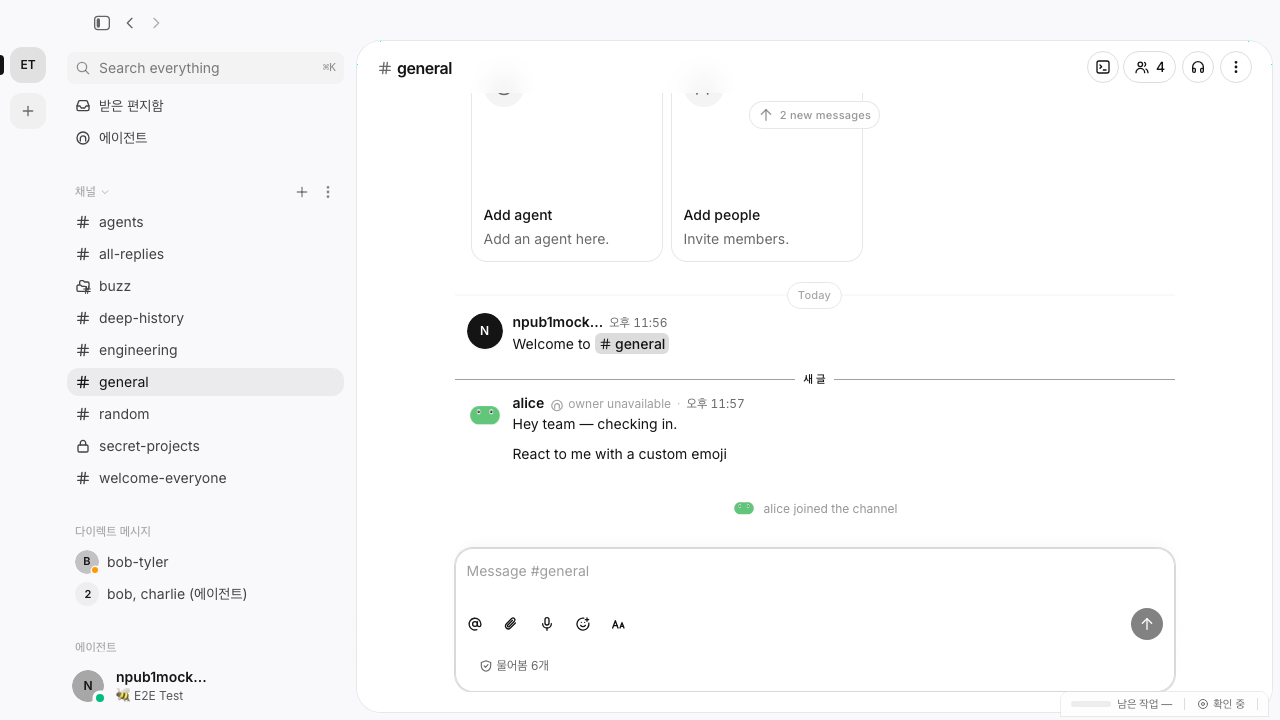
Captures from a development build of the desktop app, taken with test data in its Korean interface. The interactive scenes above use sample content to show the intended workflows.
MADE FOR THE WAY TEAMS WORK
Choose the model for the task. Keep decisions with the people who own the work.
Review the changes,
then choose the next step.
Set up model connections and choose what each agent uses.
Use approval steps in supported workflows before work continues.
Keep useful instructions and team skills alongside the work.
BETA · FOUNDING TEAM
We'll email you about new features and the public launch, and invite people to the founding team that will shape Hardi with us.
A FEW THINGS TO KNOW
Hardi is a desktop workspace where people and AI agents work together through team channels, documents, tasks, and shared knowledge.
The interactive preview is a scripted demonstration with sample content. It makes no agent requests. The screenshot gallery contains captures from the desktop development build; individual features are still being developed.
Published installers are available on the download page, with a version and checksum for each release. Platforms still being prepared are marked there.
Yes. This website is available in English and Korean, with light, dark, and system themes. Reconstructed demonstrations follow your language. Desktop captures retain their original Korean UI.
Install the desktop app and sign in with your email. Then create a workspace, or open the invitation link a teammate sent you.
GIVE YOUR TEAM A PLACE TO GO FURTHER
Bring your people. Bring your context. Put your agents to work.
Download HardiTest builds for Mac (Apple silicon and Intel), Windows, Linux